
How can we help?
Batch Eligibility
- The Batch Eligibility feature allows providers to verify insurance eligibility for multiple patients simultaneously through Availity. This functionality helps reduce manual verification efforts and streamlines eligibility processing within the system.
- To access the feature, navigate to the Patient module and click on “Batch Eligibility” from the left menu. The page contains two tabs:
- Prepare Batch
- Batch Status
Prepare Batch
- The Prepare Batch tab is used to create and transmit eligibility verification requests for multiple patients at the same time.
- Open the Prepare Batch tab and select the Appointment Start Date and Appointment End Date to filter patients based on scheduled appointments.
- Click the Search/Filter button to display patients within the selected appointment date range.
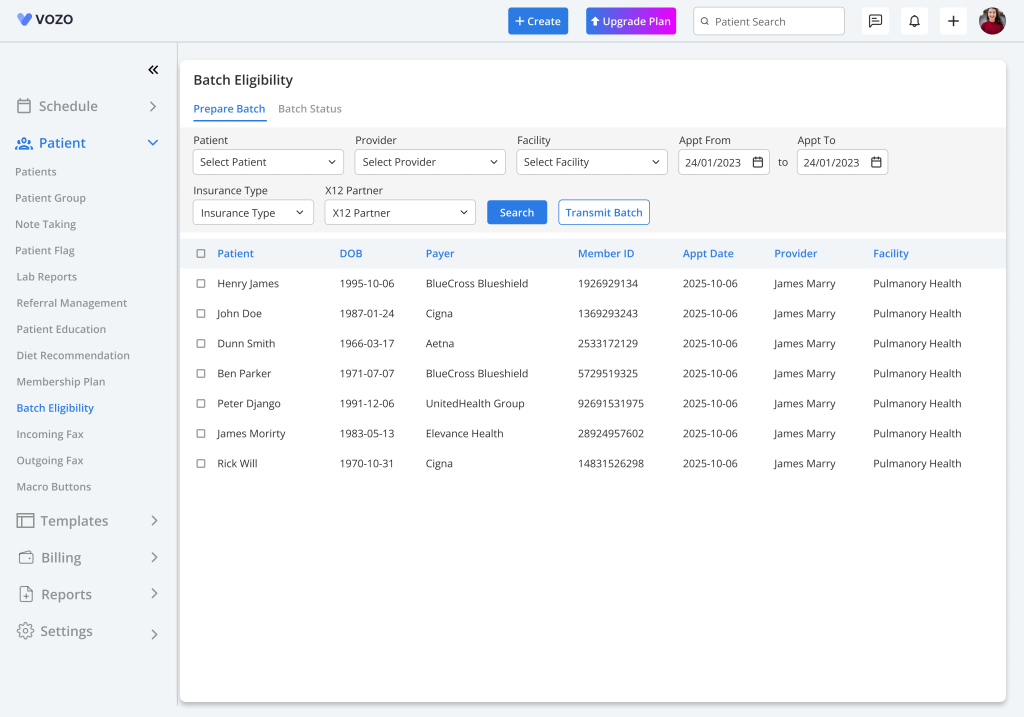
Select Patients for Eligibility Verification
- From the displayed patient list, select one or multiple patients whose insurance eligibility needs to be verified.
- After selecting the required patients, click the “Transmit Batch” button to begin the eligibility verification process.
- The system automatically:
- Creates the 270 Eligibility Request File
- Sends the request to Availity for processing
- Once the transmission is successful, the selected patients are automatically moved to the Batch Status tab for status tracking.
Batch Status
- The Batch Status tab is used to monitor the eligibility verification progress and review responses received from Availity.
- Open the Batch Status tab to view all transmitted batch requlests along with their current verification status.
- Possible eligibility statuses include:
- Pending
- Eligible
- Not Eligible
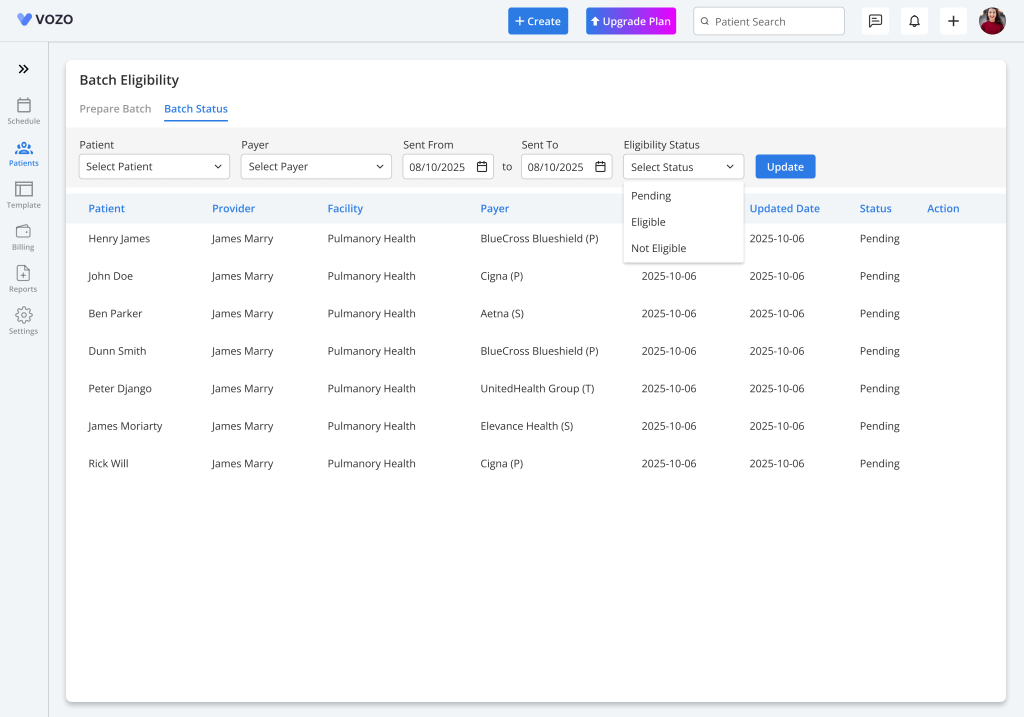
Pending Status
- Immediately after transmission, the patient status appears as Pending until the eligibility response is received from Availity.
- Once the response is processed, the system automatically updates the eligibility status.
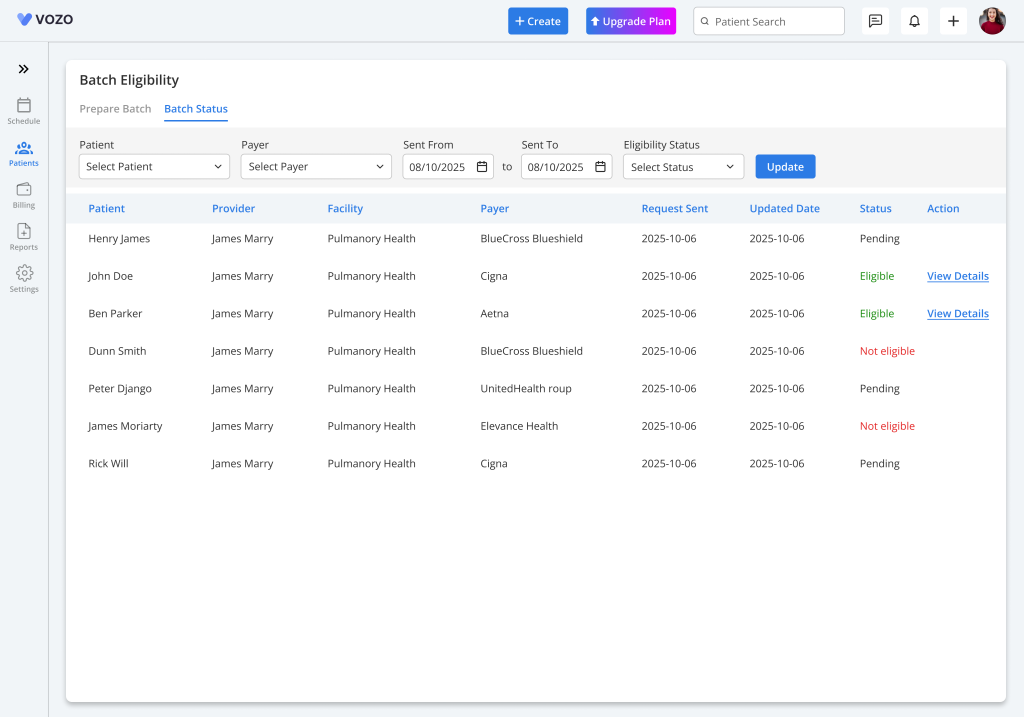
Filter Batch Requests
- Providers can filter previously transmitted eligibility batches using:
- Batch Request Start Date
- Batch Request End Date
- This helps quickly locate historical eligibility verification requests and responses.
View Eligibility Details
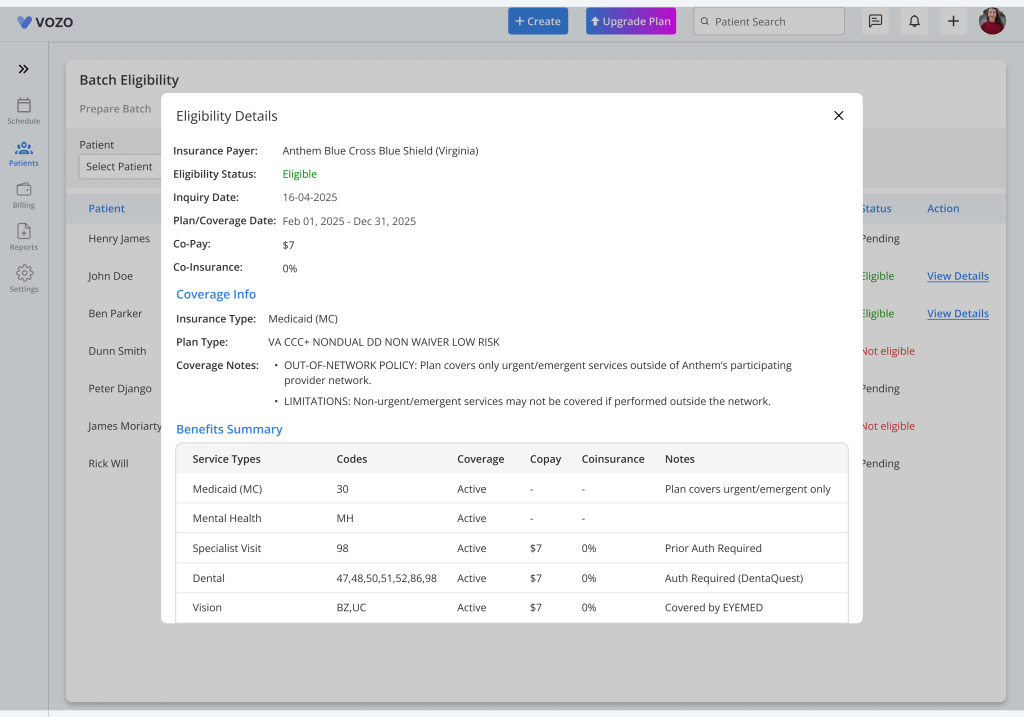
- Only patients marked with an Eligible status will display the “View Details” option under the Action column.
- To review eligibility information, locate the eligible patient and click “View Details”.
- The provider can view:
- Insurance Eligibility Details
- Benefits Information
- Coverage Details
Automatic Eligibility Updates
- Once eligibility information is received from Availity, the system automatically updates the eligibility details in:
- Patient Demographics
- Appointment Details
- Providers can review and verify the updated eligibility information directly from these sections as needed.
This workflow enables providers to efficiently process and monitor insurance eligibility verification for multiple patients while maintaining accurate and automatically updated coverage information throughout the system.